


 Tags
Tags


모델링 환경
- 로컬 환경
- CUDA 설치 필요
- 무제한 학습 가능
- 구글 코랩
- 설치 필요 없음
- 원격 학습 및 공유
- 리소스 한계
데이터셋 생성
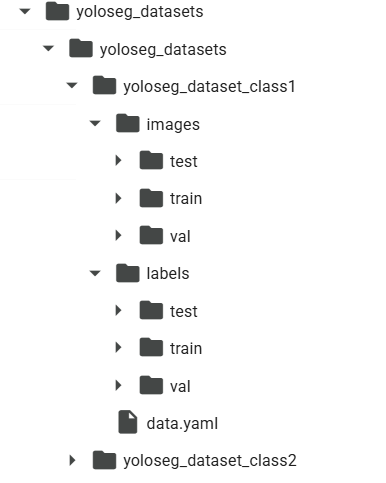
데이터셋 구조를 사용모델(YOLOv11)에 맞춰 생성
inages,labels폴더 생성 후train,val,test하위 폴더 생성- 0.8:0.1:0.1 비율로 생성
Train
- YOLOv11-setgment 모델 이용
- DAGM2007 class별로 학습 진행
from ultralytics import YOLO

# Load a model
# model = YOLO("yolo11n-seg.yaml")  # build a new model from YAML
model = YOLO("yolo11n-seg.pt")  # load a pretrained model (recommended for training)
# model = YOLO("yolo11n-seg.yaml").load("yolo11n.pt")  # build from YAML and transfer weights

model.train(data='/content/DAGM2007_ws/yoloseg_datasets/yoloseg_datasets/yoloseg_dataset_class1/data.yaml', epochs= 10, patience = 20, batch=32, imgsz =416, optimizer='Adam', lr0=.003)
정확도 및 결과 저장
정확도
- correct 기준
- 결함 : label (def) 검출
- 정상 : label 미검출
def accuracy(results):
  # test accuracy
  correct = 0
  correct_def_only = 0
  num_def = 0

  for result in results:
    if 'def' in result.path:
      num_def += 1
    if 'def' in result.path and result.boxes.conf.tolist():  # defect case
      correct += 1
      correct_def_only += 1
    elif 'def' not in result.path and not result.boxes.conf.tolist():
      correct += 1

  print('accuracy =', correct/len(results))
  print('def only accuracy =', correct_def_only/num_def)

  return correct/len(results)
결과 저장
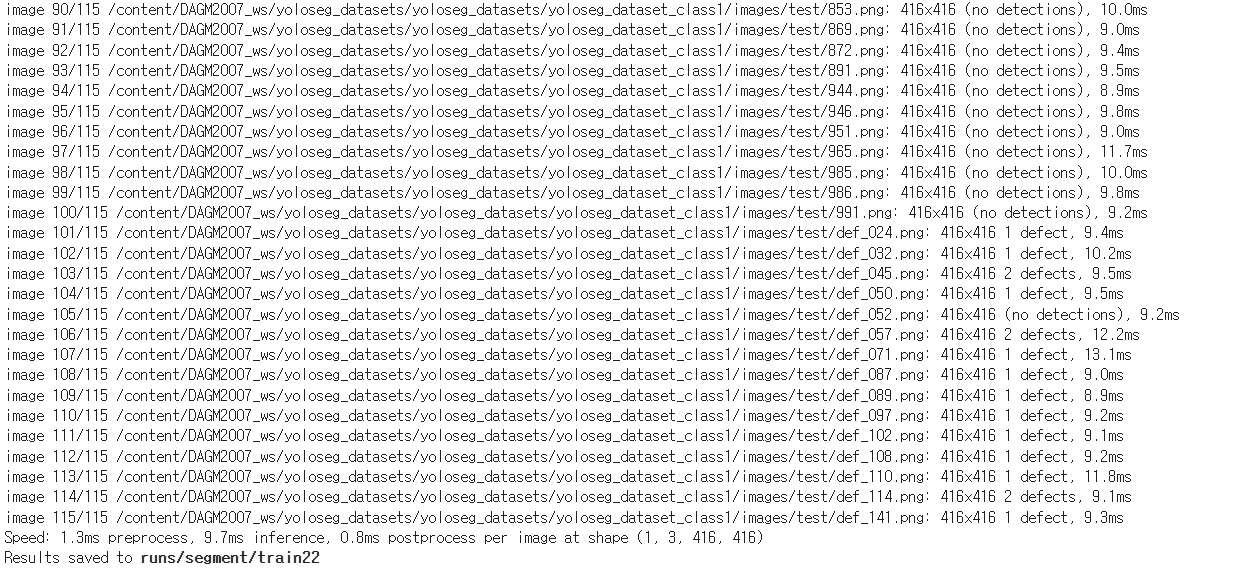
- 모델을 사용하여 test data 검출 실행
results = model.predict(source ='/content/DAGM2007_ws/yoloseg_datasets/yoloseg_datasets/yoloseg_dataset_class1/images/test', save=True)
결과 분석
test data를 이용한 정확도 측정, 결과 데이터 분석
- 정확도
# test accuracy
_ = accuracy(results)

>>>
0.991304347826087
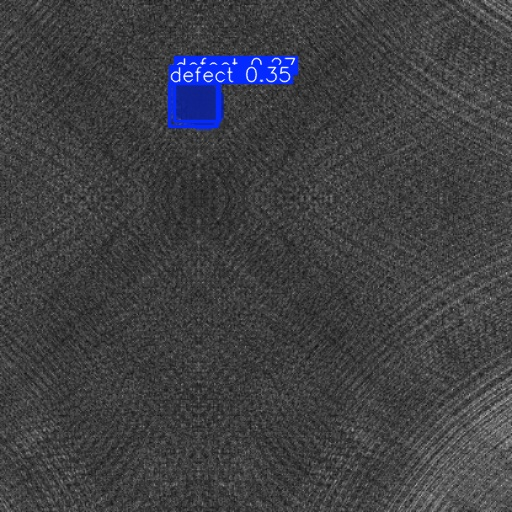
- 오류 검출 데이터 확인
- 상품의 결함 측정, 결합품의 결함 미측정
- NMS(Non Max Suppression) 실패 : def의 다수 측정
# 이미지 파일 경로를 가져오기
image_paths = glob.glob('/content/runs/segment/train22/def_*.jpg')

# 이미지가 없는 경우 에러 처리
if not image_paths:
    print("이미지 파일이 없습니다.")
else:
    # 랜덤하게 이미지 선택
    selected_image_path = random.choice(image_paths)

    # 이미지 표시
    print(selected_image_path.split('/')[-1])
    img = cv2.imread(selected_image_path)
    cv2_imshow(img)


C
Contents